What is the Best Sort Feed Alternative in 2026
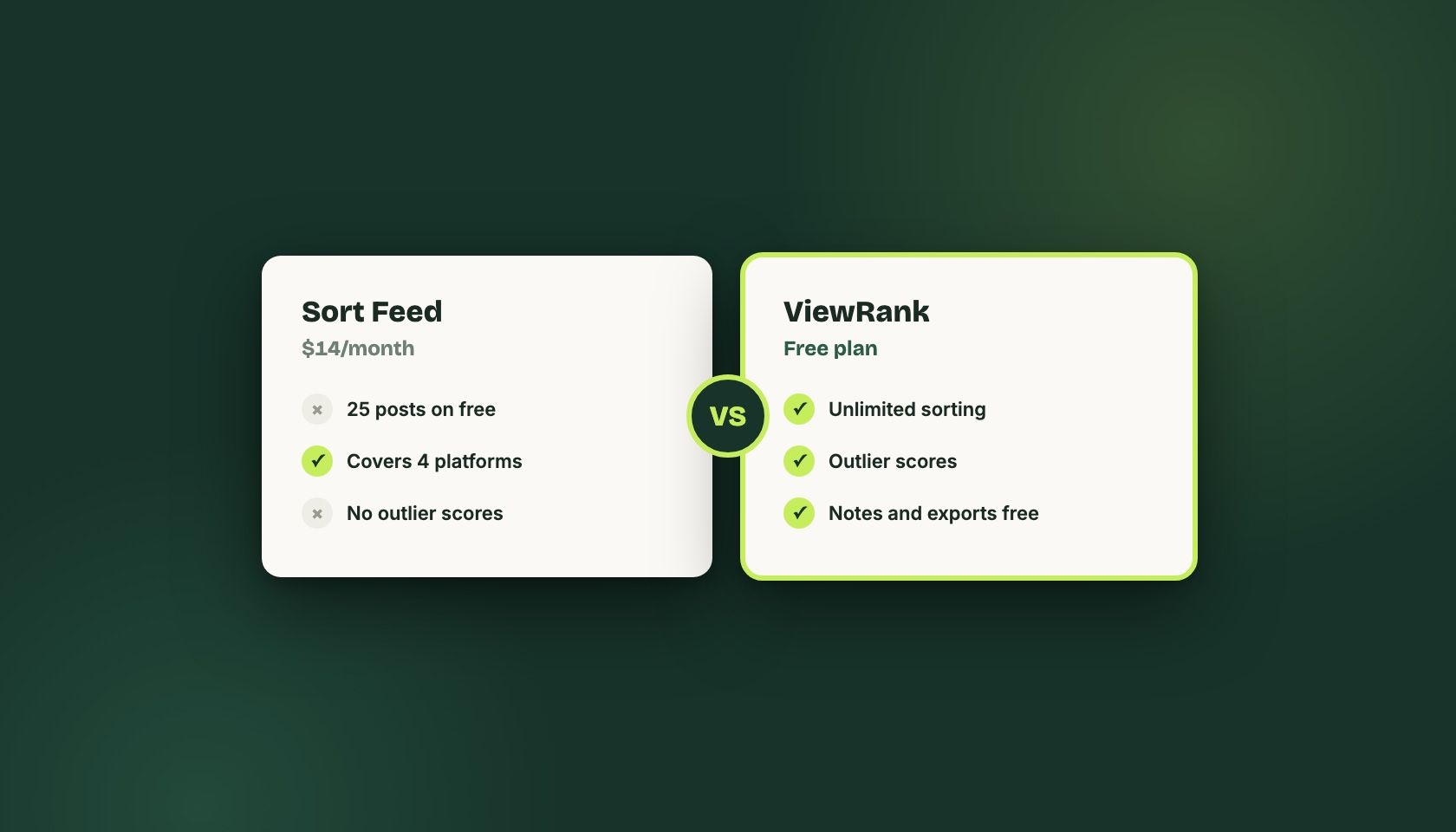
ViewRank is the closest alternative to Sort Feed for Instagram and TikTok, mainly because its free Chrome extension has no post cap while Sort Feed's free tier stops at 25 posts. Sort Feed still wins on coverage: it handles YouTube and Facebook, which ViewRank does not. We build ViewRank, so weigh that accordingly.
Most articles with this title were written by whoever builds the alternative. So was this one. We make ViewRank, and rather than pretend otherwise, I’ll try to make the bias useful by being specific about where Sort Feed is the better pick.
People start hunting for a Sort Feed alternative for one reason, nearly every time. The free tier runs out. You get the latest 25 posts on a profile or one week of content, whichever comes first, and for an account that posts daily those are the same thing. You confirm the extension works, you learn almost nothing conclusive, and then you’re at a paywall.
Sort Feed Pro costs $14 a month, or $9 a month if you pay for the year.
That’s not an outrageous price. Whether it’s the right one depends on a question most comparison posts skip: what happens after the sorting finishes?
Where Sort Feed is genuinely strong
First, a correction. An earlier version of this article claimed outlier scoring was unique to ViewRank. Sort Feed has it now, so that claim was wrong, and leaving it up would have been worse than admitting it.
Sort Feed also covers more ground than we do. Instagram, TikTok, YouTube, and Facebook. If your research spans YouTube long-form or Facebook Reels, that breadth is real and ViewRank will not replace it. Pro includes 500 minutes of transcription a month and exports straight to Google Sheets, which matters if your team already lives in spreadsheets.
And it’s the incumbent, with more than 90,000 installs against our 1,000-odd. Bigger install base, more mileage on the code, more people to complain when something breaks.
If you sort a profile, export the numbers, and do your thinking in a spreadsheet, Sort Feed at $9 a month is a reasonable tool and you can stop reading here.
What happens after the sorting finishes?
Sorting is one step, and it’s the easy one.
Picture the actual workflow. You sort a competitor’s profile by views, likes, or comments. Eleven videos float to the top. You open the first, watch it, notice the hook is a question landed inside two seconds. Second video, same trick. By the fourth you spot that most of the winners run under twenty seconds while this account’s normal posts run forty.
Now where does that observation live? A Google Doc, probably. Maybe a Notion board you’ll stop updating within a fortnight. Next Tuesday you research a different account and the pattern you found today is gone, because it was never written down anywhere you’d look again.
That gap is the thing we actually built for, and it’s the honest reason to consider switching. Not the sorting. The sorting is table stakes.
What ViewRank does with that gap
The free extension keeps everything in one place while you work. A built-in player so you watch without opening a new tab, favorites to shortlist, notes attached to individual videos, tags for patterns you want to track across accounts, and exports when you do want the spreadsheet. No post cap on any of it.
It also sorts Instagram posts and carousels, not just Reels, with a detail view that steps through each slide. TikTok photo slideshows too. If your niche runs on carousels, that’s a meaningful difference, though it’s a narrow one and worth knowing before you switch for it.
The paid platform is where the pitch gets more aggressive, so take it with the salt it deserves. Viral Tracker watches creators you pick and checks their profiles every few days, so you find out when a competitor breaks out instead of noticing three weeks late. Visual Analysis takes one video and returns a scene-by-scene breakdown with a still frame from each cut, what was said, and what was on screen. The workspace turns any of that into video ideas, then into a script with a few different openings, then into a post kit with captions and hashtags.
Starter is $12.99 a month, or $99 for the year, and covers 2 tracked creators plus 30 visual analyses a month. Pro is $29.99, or $199 yearly, for 5 creators and 100 analyses. Seven-day trial, no card.
Notice that both paid tiers cost more than Sort Feed Pro. If all you want is unlimited sorting, our free extension is cheaper than everything. If you want the AI layer, we’re the expensive option and you should decide whether scene breakdowns and generated scripts are worth roughly double.
Sort Feed vs ViewRank, feature by feature
Current as of August 2026. Both tools ship changes often, so check before you buy.
| Sort Feed | ViewRank | |
|---|---|---|
| Free tier | 25 latest posts or 1 week | No cap |
| Paid | $14/mo, $9/mo yearly | $12.99/mo, $8.25/mo yearly |
| Outlier scores | Yes | Yes |
| Platforms | Instagram, TikTok, YouTube, Facebook | Instagram, TikTok, YouTube Shorts via import |
| Instagram carousels | Not sorted | Sorted, with slide-by-slide view |
| Notes and tags on videos | No | Yes, free |
| Built-in player | No | Yes, free |
| Transcription | 500 min/mo on Pro | 200 to 600/mo depending on plan |
| Automatic competitor alerts | No | Yes, on paid |
| Scene-by-scene breakdowns | No | Yes, on paid |
| Script generation | No | Yes, on paid |
| Installs | 90,000+ | 1,000+ |
Sort Feed or ViewRank: which one should you use?
- Stay on Sort Feed if you need YouTube or Facebook coverage, if your process ends at an export, or if you want the tool with the larger user base behind it.
- Use the free ViewRank extension if the cap is your whole problem. It costs nothing, there’s no account, and you’ll know inside one research session whether the notes-and-favorites workflow fits how you think.
- Pay for ViewRank only if the after-sorting part is genuinely where your time goes. If you research two competitors a month, it isn’t, and you’ll be paying $12.99 for a habit you don’t have yet.
The uncomfortable version of this advice: run both free tiers for a week on the same three profiles and see which one you keep opening. That test costs nothing and it’s more reliable than anything I can tell you about our own product.
Frequently Asked Questions
Does Sort Feed have outlier scores?
Yes. Sort Feed added outlier-score sorting, so this is no longer a point of difference between it and ViewRank. An earlier version of this article said otherwise, which was wrong at the time we corrected it in August 2026.
Is ViewRank actually free?
The Chrome extension is free with no post cap: sorting, outlier scores, favorites, notes, tags, exports, and downloads. The paid platform (Viral Tracker, Visual Analysis, and the AI workspace) starts at $12.99/month, or $8.25/month billed yearly, with a 7-day trial that doesn't ask for a card.
Which one is cheaper?
For sorting alone, ViewRank, because the free extension has no cap and Sort Feed's free tier stops at 25 posts or one week. If you want the AI features, ViewRank's paid plans cost more than Sort Feed Pro's $14/month, so compare what you'd actually use rather than the headline price.
Does ViewRank work on TikTok?
Yes, on TikTok videos and photo slideshows, plus Instagram Reels, posts, and carousels. YouTube Shorts work through manual import rather than on-page sorting.
Can I keep using both?
Plenty of people do. Sort Feed covers YouTube and Facebook, which ViewRank doesn't, and running both costs nothing while you're on the free tiers.
Related articles
All Comparisons articles →
How to See the Most Viewed Instagram Reels on Any Profile
Instagram sorts Reels by date, never by views. How to rank any public profile by view count in about thirty seconds, and what to look for after.
Dec 23, 2025 · Updated Sep 1, 2026
How to Sort Instagram Reels by Views, Likes, and Comments
Instagram has no sort control on the Reels tab. How to rank any public profile by views, likes, or comments, and which metric suits each job.
Dec 23, 2025 · Updated Sep 1, 2026